
Inventory management
Your Inventory.Anywhere.
Know what shoppers will see before a vehicle reaches your website. Keep the vehicle record, photos, and finished listing connected.
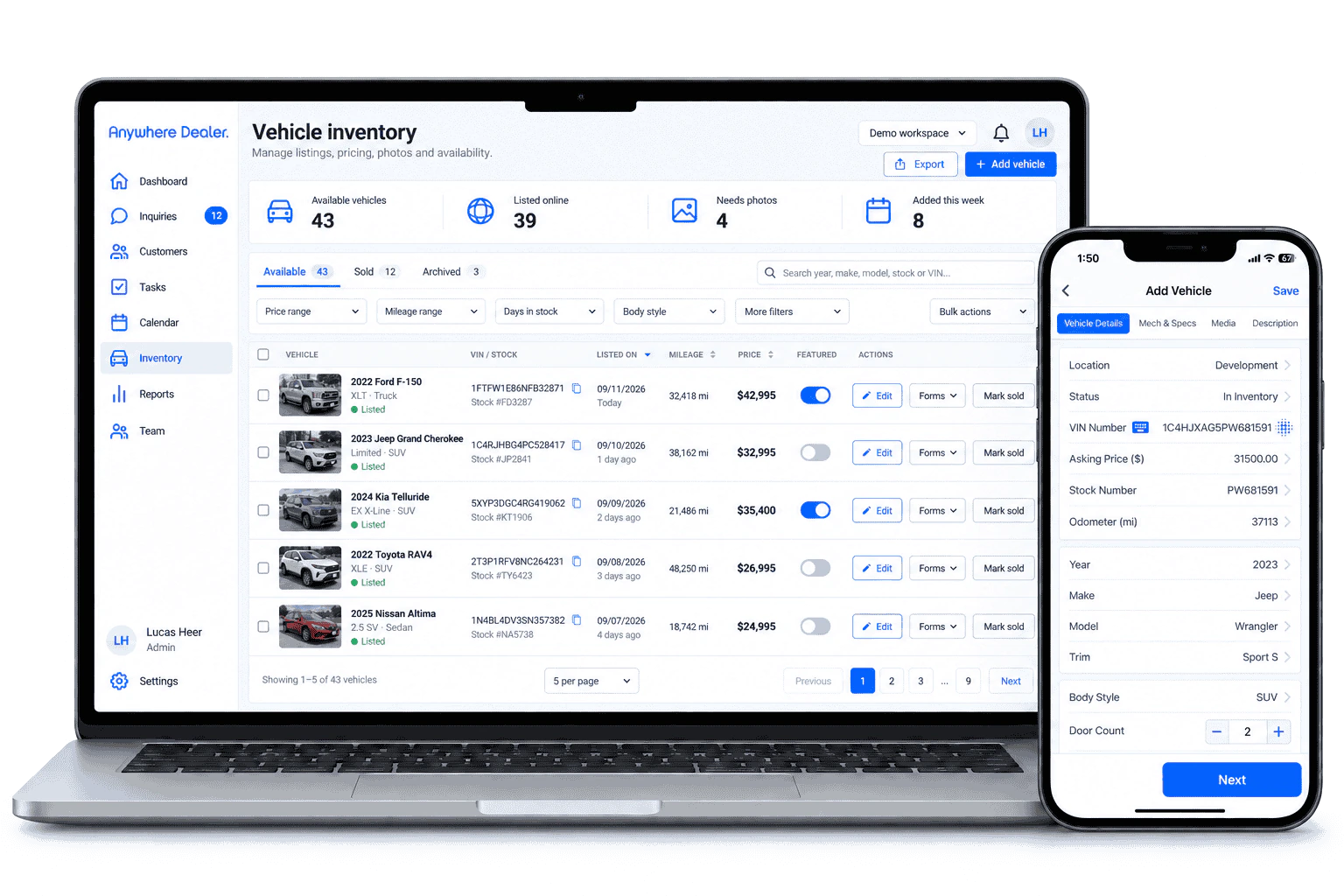
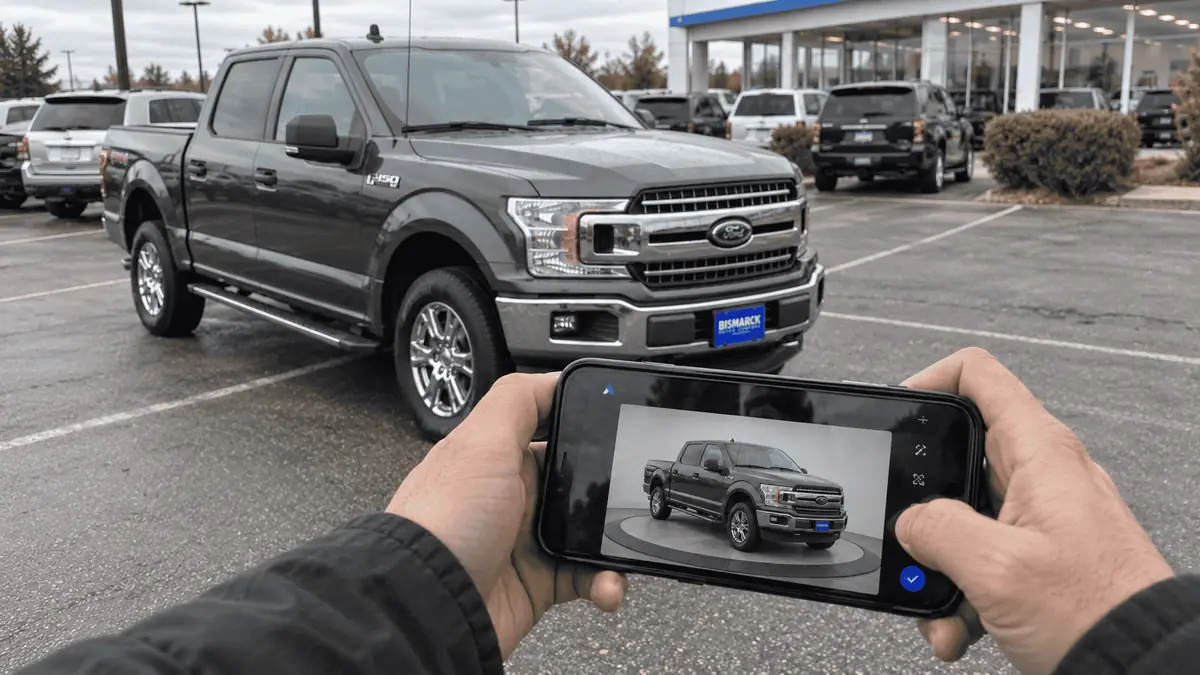
Vehicle presentation
Endless Vehicle Edits.
- VIN explosion
- Market snapshots (Books)
- Unlimited photo edits
- Background replacement
- Custom window sticker
- Easy AS-IS form
- Instant website publishing
- AI description writer
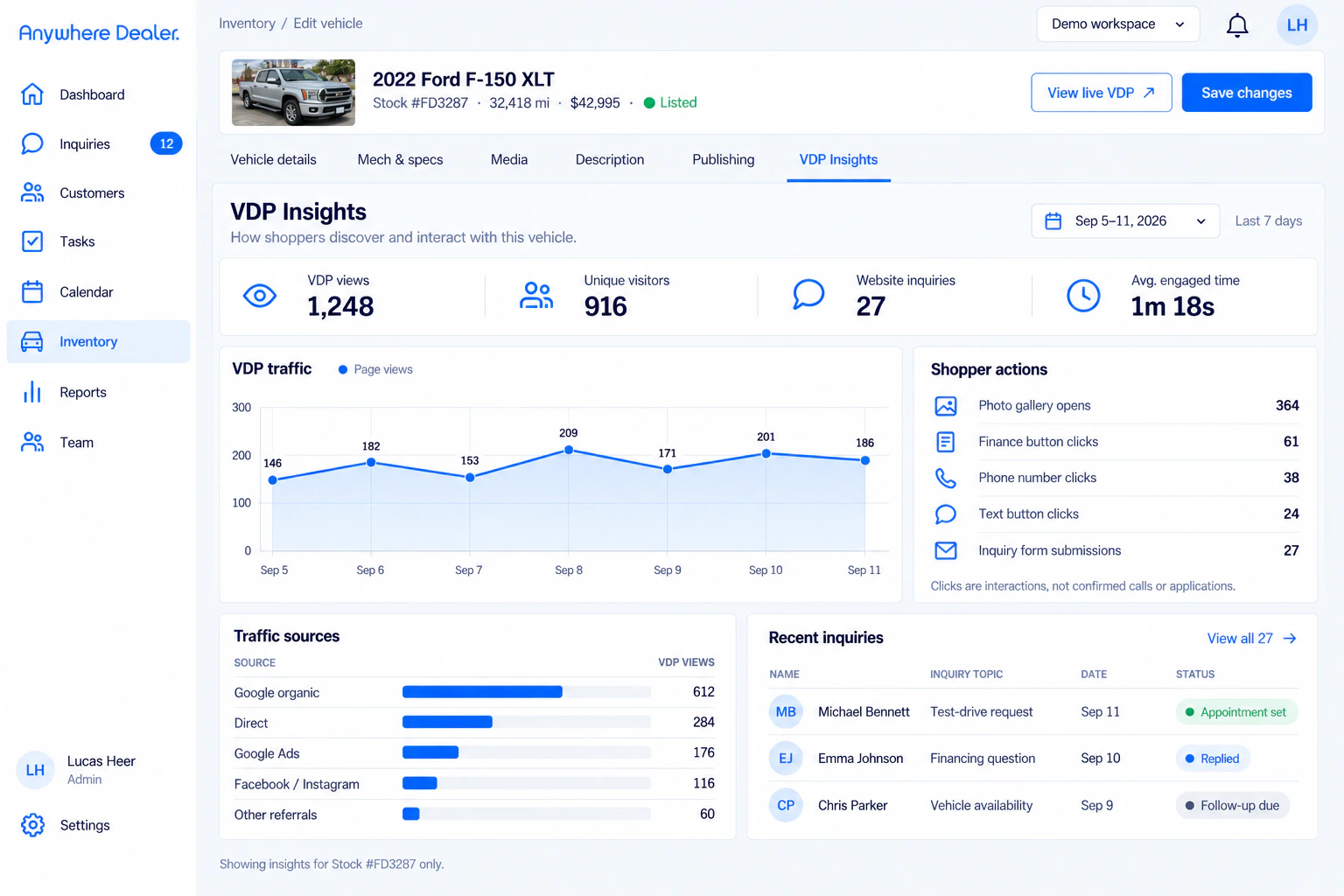
VDP Insights
Know your analytics.
See how shoppers discover each vehicle, which details hold their attention, and where interest turns into the next conversation.
- Track VDP views and unique shoppers
- See the actions that drive inquiries
- Understand which traffic sources perform
Before we talk
A few good questions.
Can you use our current inventory source?
Compatibility needs assessment. Identify the provider, format, update frequency, and the website or system that should receive the data. Universal feed compatibility is not assumed.
How should we plan a migration?
Decide which system owns each field, how records match, and how images move. Test a small set of non-sensitive records before approving a full transfer.
What happens when a vehicle is sold?
Ask how the current workflow changes the listing status and how connected destinations handle removals. Do not assume every destination updates at the same time.
Are photos and descriptions included in the setup?
Ask which content you provide, which editing tools are included, and whether any preparation services are separately scoped for your dealership.
Your next stage of growth
Your next chapter starts with a conversation.
Bring your questions. Explore the product. Find the right fit for your team.